
What changes when you apply a screen wrap?
On supported Tesla software, a custom PNG changes the appearance of the vehicle visualization. It gives your on-screen car its own colors and artwork while the actual paint remains untouched. Tesla’s template collection lays out the exterior panels so the image appears on the intended body surfaces.
Choose the exact model, body generation and variant first. A design prepared for a refreshed Model Y can have a different layout from the original body. The 3D showroom helps you inspect a direction, while the official flat template determines the file that is exported. Check the final placement on your car’s screen.
Digital design and physical vinyl serve different jobs.
A screen wrap is a convenient place to experiment with a palette or theme. A physical wrap applies an actual film to the exterior, with its own texture, installation work and care routine. A metallic effect in an image does not make printed vinyl metallic; the real film and printing process determine the finished surface.
| Consideration | Screen wrap | Physical vinyl |
|---|---|---|
| What changes | The vehicle visualization | The actual covered exterior panels |
| Getting started | Compatible template PNG and supported Tesla software | Vehicle inspection, material choice and a shop quote |
| Cost | Our uploads, manual tools and downloads are free | Quoted by the installer for the exact job |
| Changing your mind | Select another supported design | Discuss removal or replacement with the installer |
| Artwork | Compact panel-mapped PNG | Full-size production artwork prepared by the shop |
Start with the design you enjoy, then compare physical samples if you want it on the real car. Save several concepts so you can judge them in different moods, rather than committing to the first attractive render.
Get the design onto your Tesla’s display.
- Choose the matching vehicle in Design Studio. Upload artwork you have permission to use, try a demo pattern or open a public community remix.
- Use Auto fit as a starting point, then inspect the hood, sides and rear. Adjust placement around panel gaps and window cutouts.
- Download the finished PNG. Keep the original export intact; a screenshot of the 3D car is a different image.
- On supported mobile transfer, use Tesla app 4.59.0 or later and open Creations → Wrap → Upload. Select the exported image.
- For USB transfer, put the PNG in a folder named Wraps at the drive’s root, then choose the design in Toybox → Paint Shop on your vehicle. Follow Tesla’s requirements for your model and software.
The studio preserves the selected official dimensions and prepares exports below 1 MB. Do not convert the file to JPEG or send it through a service that resizes images. If a menu is missing, check your vehicle’s feature availability and the current official instructions.
Take the exported template to an installer.
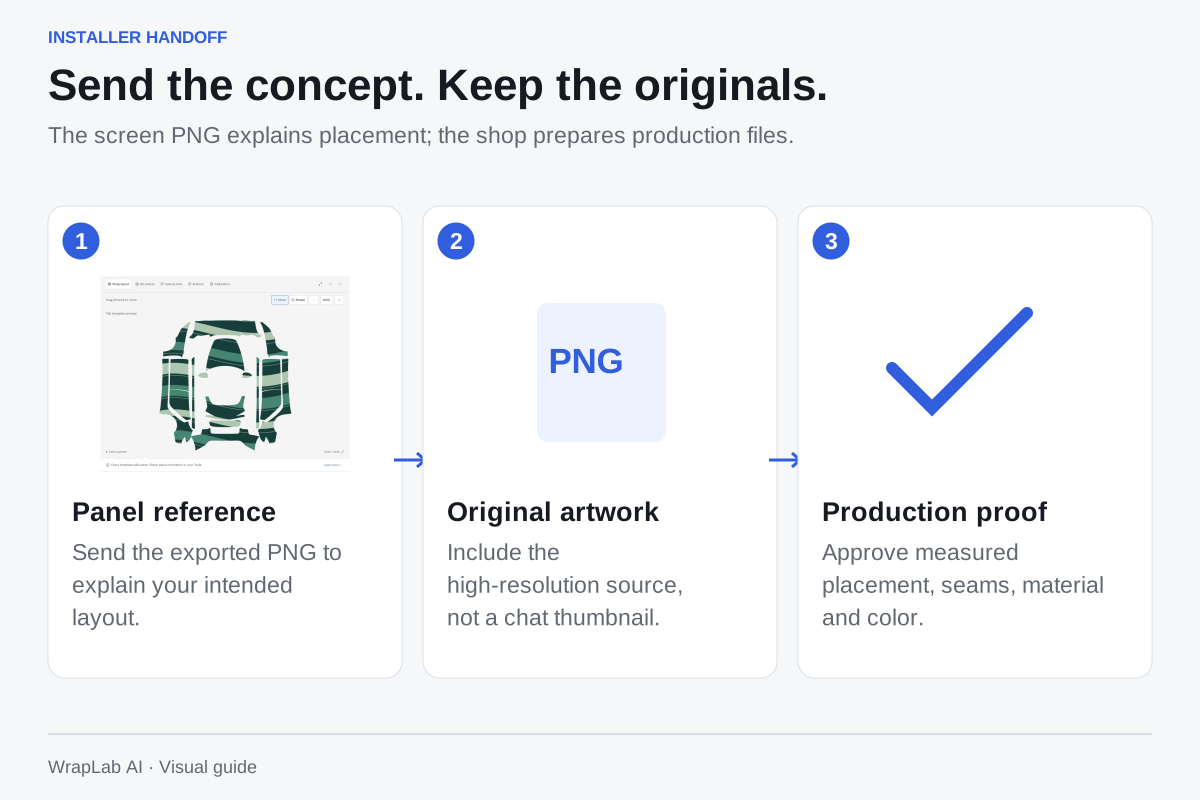
Yes—bring the template PNG to show the arrangement you want. Include screenshots of your design from several showroom angles and notes about the subject, accents and covered panels. The concept helps an installer understand your intent.
Also supply the highest-resolution original artwork and the rights needed to reproduce it. The screen texture is only 512–1024 pixels per side, with panel gaps built for Tesla’s visualization; it is not a measured cutting layout for your physical vehicle. The shop needs to prepare print resolution, panel dimensions, bleed, seams and color management using its own workflow.
Ask for a physical film sample and a production proof before printing. Review whether portraits and lettering remain upright, where seams cross the artwork and which parts stay uncovered. Agree on the film code, finish, preparation, installation scope and warranties in writing.
Keep the files you will need later.
Save the screen PNG for your Tesla and retain the original artwork separately. Name the concept clearly and record the selected vehicle variant. For a physical project, keep the approved shop proof, material code and installation paperwork too. They answer different questions, and having all of them makes a future adjustment or replacement easier.
Official template & transfer requirements
Tesla’s custom-wrap templates and current instructions ↗Your next look starts with an idea.
Try your own artwork or explore a free community design. AI generation and checkout are coming later.
Create your wrap